Need your ayrmesh hubs to transmit more than 10 meg

-
Official comment

Jack-
First off, most WiFi vendors have the goal of providing maximum bandwidth (speed) in a small area. Our goal is not to provide maximum bandwidth, but rather to provide good bandwidth across the widest possible area - up to several square miles.
The AyrMesh Hub2n typically delivers up to 30 Mbps from the Gateway Hub, 10-15 Mbps from the first "ring" of Remote Hubs around the gateway, 5-6 Mbps from the second "ring" of Remote Hubs, and 2-3 Mbps from the third "ring" of Remote Hubs. Of course, the third ring of Hubs may be up to 7.5 miles from the Gateway. You may not be able to watch movies in HD from around that third ring of Hubs, but you will be able to collect data from weather stations, soil sensors, and cameras up to 2 miles away from that third ring of Hubs.
All of that said, we are looking at some WiFi radios that can use our firmware and double the bandwidth available. They are, of course, more expensive, but they may be worth the cost if you need additional speed.
-
I meant to say, transmit what the Internet speed is that the customer is paying for, ex. I pay for 25 meg download, but when I connect my wireless devises to the Ayrmesh Hub, I only get about 12 meg, when I connect my devises to my Linksys Router, I get the 25 meg. Hope you are working on an upgrade. 0 -

I have to second Jack's original question. My wifi-enabled cable modem - checked using dsl reports - has a download speed of around 90 Mb/sec and an upload speed of 15 Mb/sec.
When I attach the Ayrstone hub, my speed drops to about the same as Jack's or lower. It has nothing to do with line of sight as I'm sitting 6 feet away from both the hub and the cable modem/router it's plugged into. The speed test indicates an average of 6-8 Mb/sec coming through the Ayrstone, but up to 90 Mb from the router directly. I'm not seeing anything close to 30 Mbps, even while sitting in the same room as the Ayirstone. Is my just-received unit defective?
0 -
Jack, Jean-
You should be seeing speeds of about 30 Mbps from the Hub - if you are getting less, there may be something wrong.
Jean, 6-8 feet away your laptop might be getting overwhelmed by the signal from the Hub - I'd suggest getting some room between you and the Hub and try the speedtest again.
Also, make sure you are the only one using the bandwidth (if you are using a web-based tool like Speedtest or DSL Reports) on your network - if there's someone streaming video or doing a skype call somewhere in your network, they may be using a significant chunk of bandwidth.
You can measure the bandwidth just from your laptop to the Hub using a tool called "iPerf" - the Gateway Hub is always running an iPerf server instance. There are good iPerf clients for Android and iOS, and there is a Java iperf tool called "jperf" for other platforms (running Java). Here's a sample of the iPerf client on my Android phone measuring the speed to my Hub:
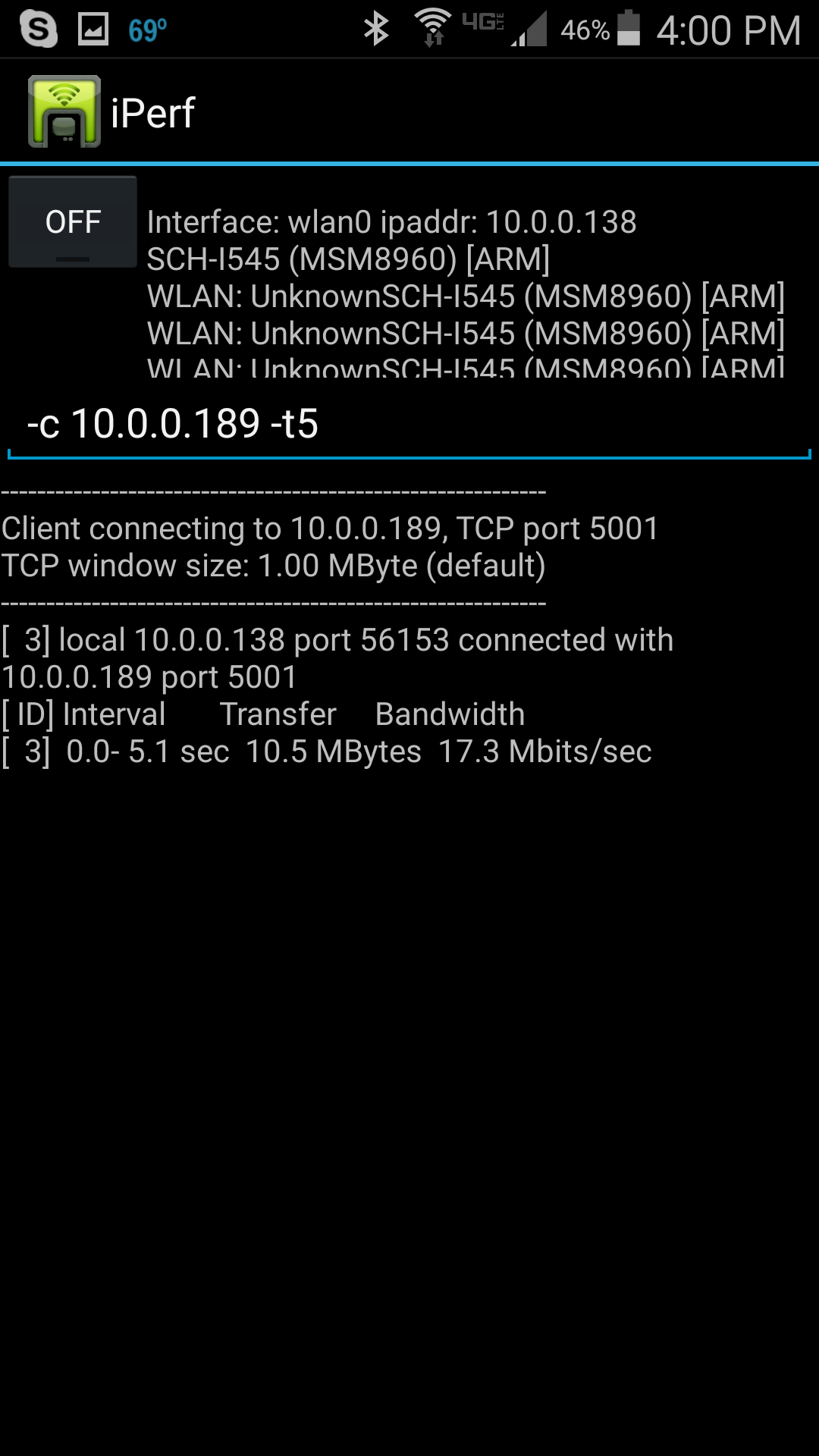
As you can see from the almost-impenetrably bad user interface, I'm seeing 17.3 Mbps to my Hub on a 5-second test (it is going through two walls, so that's not bad). By using iPerf you can remove all the other network problems between the Hub and the Internet server and just measure from your device to the Hub.
Of course, I'm sitting here all alone in the lab (the lab's Lab doesn't do much on the web, she mostly sleeps), and a speedtest actually indicates I'm doing better than expected:
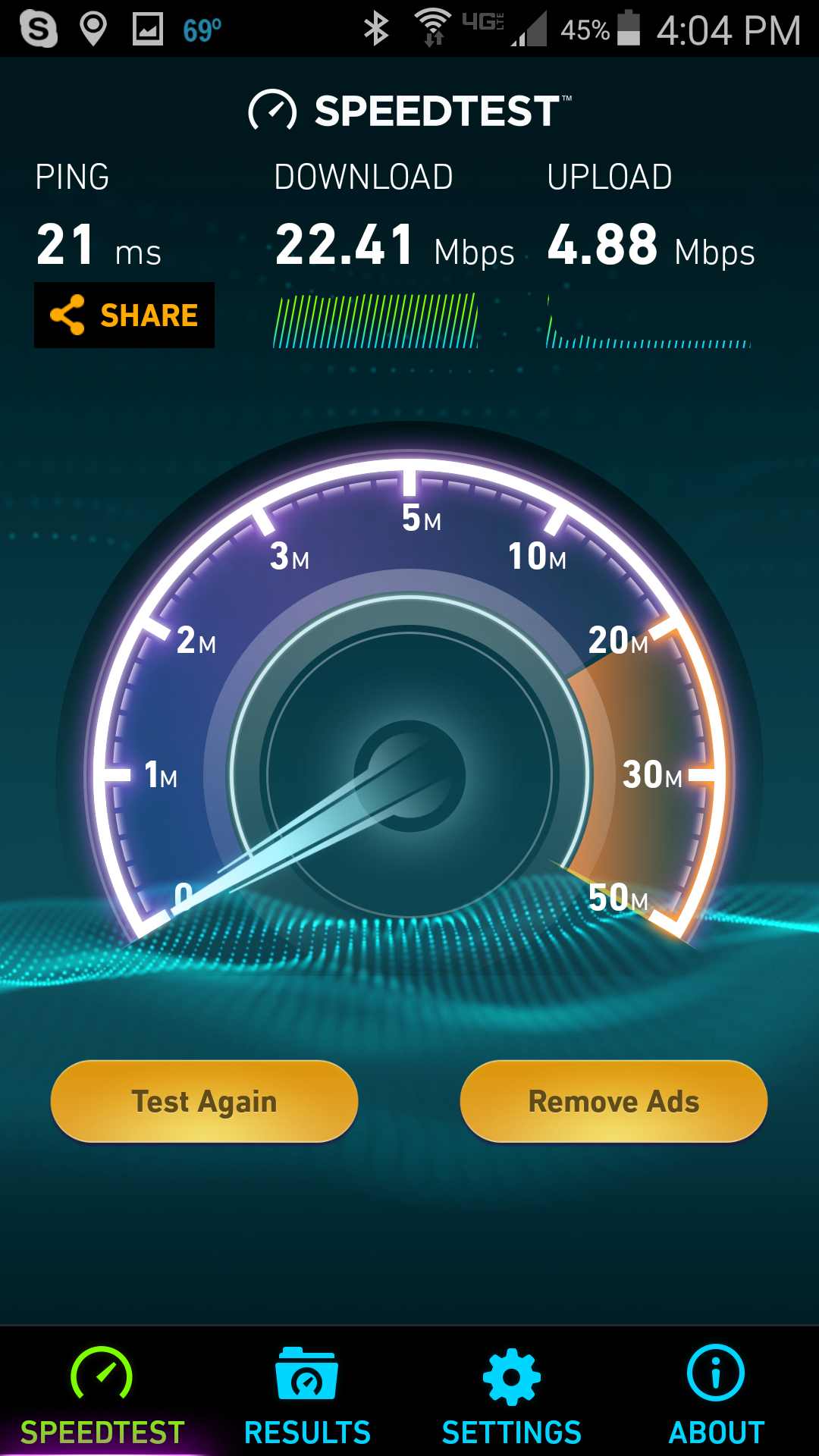
But the iPerf and Speedtest results can differ significantly depending on what's going on on your network, in the neighborhood, and on the Internet at any given moment.
Also make sure you don't have any interference - no other WiFi within 5 channels of your Hub. Low speeds from the Hub at short range are most commonly caused by interference.
Now, could we have a Hub with more than 30 Mbps? Perhaps... we've got a few things up our sleeves.
0
Please sign in to leave a comment.
Comments
4 comments